**Final project**
(#) Yihan Wang, Netid:f0080jh
(##) Motivational image
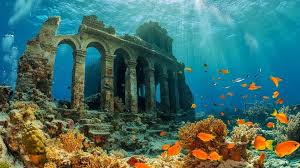
*Image credit: [Stockcake](https://stockcake.com/i/underwater-ruins-explored_1447866_833018).*
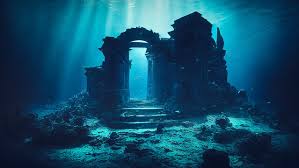
*Image credit: [Adobestock](https://stock.adobe.com/search?k=underwater+ruins).*
These scenes are my motivational images. They are awesome because of the way light refracts through water and other media,
bending and converging to form beautiful patterns.
For the theme "Entangled", something suddenly occurred to me was the entangled light — the way rays interact as they pass through different media,
refract, and concentrate in certain areas. On the ocean floor above, the refracted rays overlap and intertwine, as if the light itself were entangled,
creating an amazing network of lights.
(##) Proposed features
Participating media:
Homogeneous Participating media
Heterogeneous Participating media
Procedural volume
Delta tracking
Simple extra geometry(cube)
Simple extra emitter(directional light)
Environment Map Emitter(with importance samping)
Simple extra BSDF(microfacet,conductor,rough dielectric)
Intel's Open Image Denoise integration
(##) Simple extra geometry(cube)
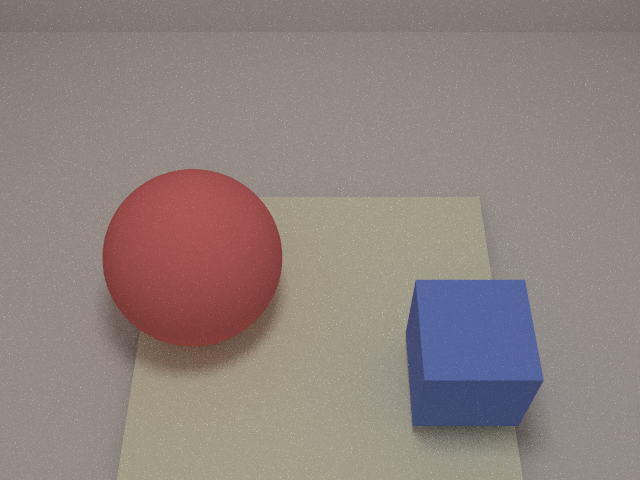
I implemented a general axis-aligned cube primitive as an extra surface type.
The cube supports arbitrary non-uniform scaling and transforms via the standard XformedSurfaceWithMaterial interface,
and computes ray intersections by transforming the ray into local space and performing a slab test against the unit cube bounds.
From the hit point, the implementation infers which face was hit, assigns the correct local normal, and converts it back to world space.
(##) Intel's Open Image Denoise integration
I integrated Intel's Open Image Denoise (OIDN) into darts to reduce noise using auxiliary buffers.
Besides pulling the OIDN dependency via CPM from GitHub, I also had to build the ISPC components locally.
To make denoising optional, I added a command-line flag -d that toggles OIDN on or off at render time.
I then implemented an AOV integrator which outputs albedo and normal passes in a consistent shading space.
These AOVs are passed as guides to OIDN, allowing the denoiser to remove noise aggressively while preserving edges, fine detail, and material boundaries.
(##) Simple extra emitter(directional light)
I implemented a directional emission material that turns any surface (typically a quad) into a “spot-like” area light.
The material stores a world-space emission direction, an angular spread in degrees, and a focus exponent.
Directional light checks whether the view or sampling direction falls inside the cone (cos(theta) > cos(spread)).
Emission is weighted by a smooth falloff controlled by the focus parameter.
(##) Environment Map Emitter(with importance samping)
The environment map is converted into a 2D luminance function,and a Distribution2D is built to represent it as a PDF.
Using two random numbers rv1 and rv2, Distribution2D::sample_continuous() samples u,v.
I sample the (u,v) by firstly sampling the marginal row, then the conditional column. It returns both the sampled coordinates and their PDF.
The (u,v) coordinates are then mapped to a direction on the sphere.
(##) Simple extra BSDF(microfacet,conductor,rough dielectric)
I implemented a microfacet-based BSDF for conductors.
The model uses a physically based normal distribution function (GGX or Beckmann), Smith masking-shadowing,
and a complex Fresnel term parameterized by eta and k to represent real metals.
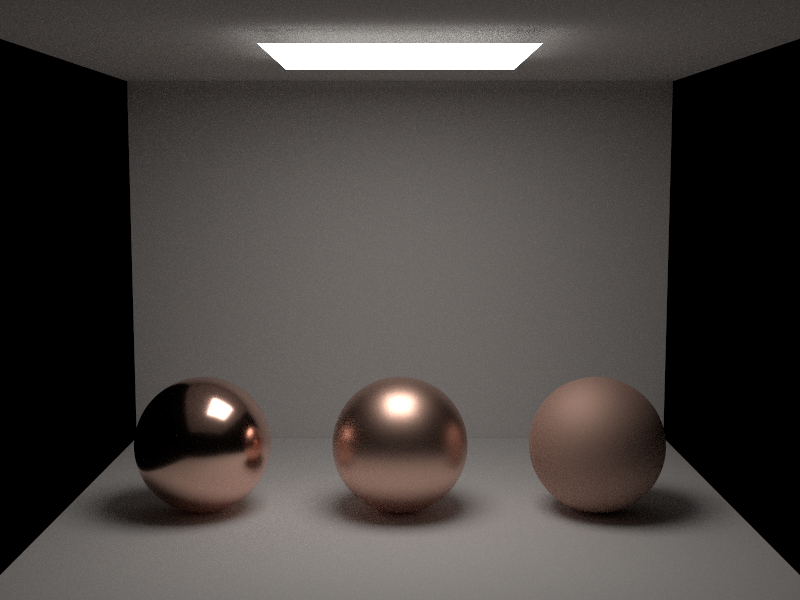
Roughness is controlled via the microfacet alpha parameter: small values produce sharp, mirror-like highlights,
while larger values spread energy into broader, softer lobes.
I also importance-sample the microfacet normal distribution when evaluating the BSDF, instead of sampling directions uniformly.
Outgoing directions are drawn according to the GGX/Beckmann NDF in the half-vector domain, followed by Smith masking-shadowing
and Fresnel evaluation. This concentrates samples in the directions where the specular lobe is strongest, which greatly reduces
noise in highlights and makes the appearance of sharp and glossy reflections much more stable for a given sample coun
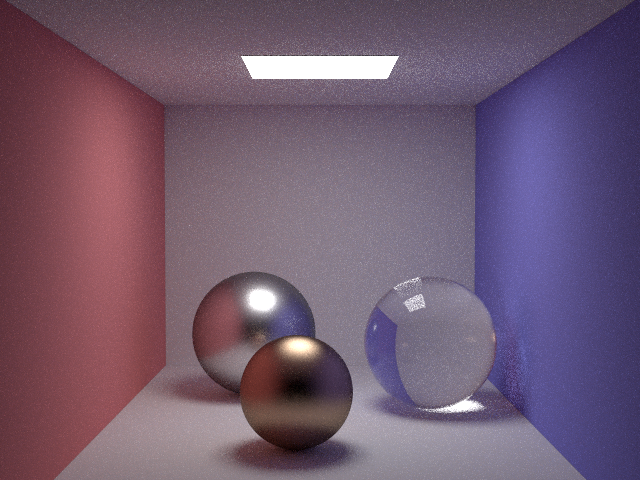
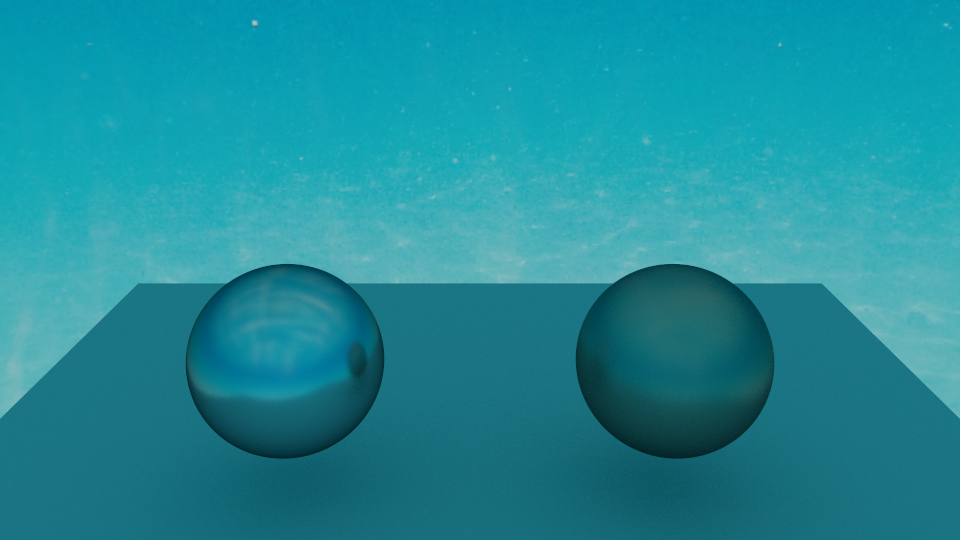
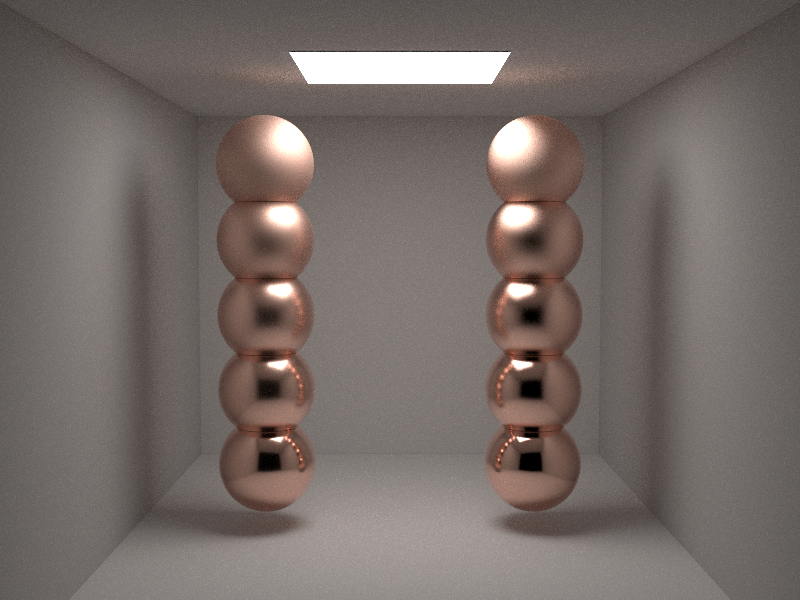
GGX vs Beckmann:
left is GGx,right is Beckmann.
From left to right: roughness = 0.02, 0.08, 0.16, 0.32, 0.64.
copper:from left to right: roughness = 0.03, 0.15, 0.6
(##) Homogeneous Participating media
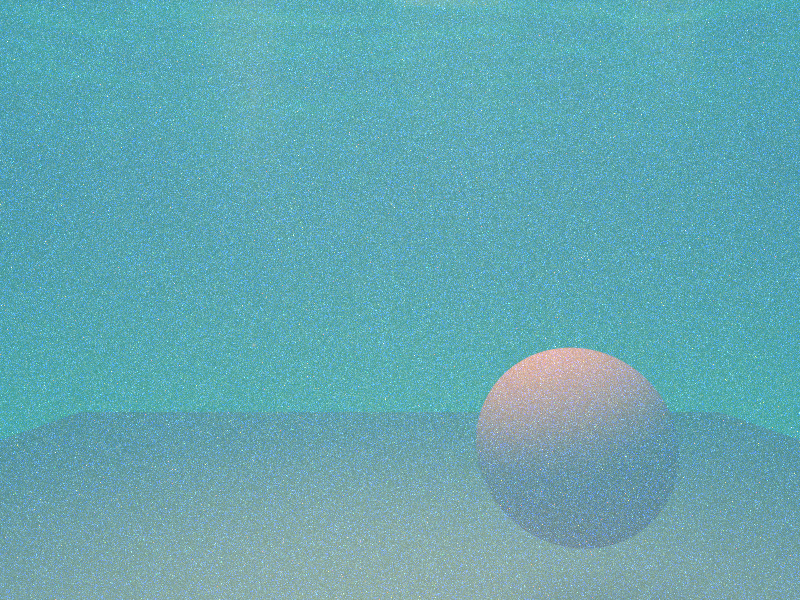
For the homogeneous participating media, I compared my implementation against Mitsuba using a matched scene setup.
Overall the results agree: the global attenuation and scattering behavior inside the medium are visually very similar, and the relative brightness of regions in and out of the fog matches Mitsuba's reference.
One small difference is that my environment map implementation uses an opposite convention for the envmap orientation compared to Mitsuba, so the apparent lighting direction in the background
(and therefore the orientation of the visible god rays) is flipped.
underwater scene:
(##) Heterogeneous Participating media
For heterogeneous volumes I used two different mechanisms to control spatial variation: a procedural Poisson/Perlin-style noise field and a NanoVDB grid.
The noise-based medium evaluates a 3D noise function inside a user-defined bounding box and maps it to local density.
In addition, I integrated NanoVDB as an external density source, loading a precomputed smoke.nvdb grid and transforming it to fit a container cube in the scene.
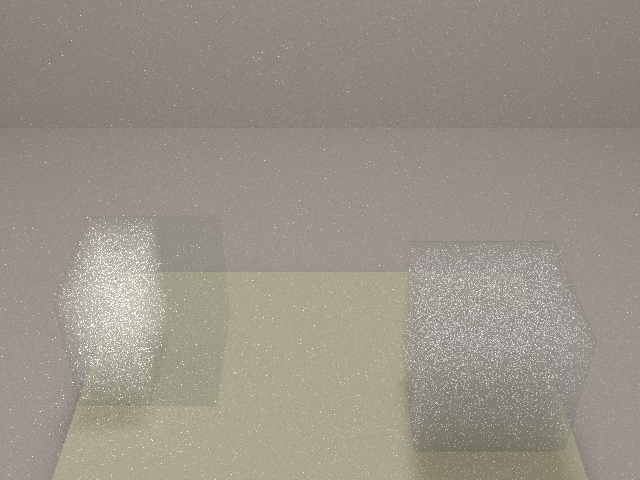

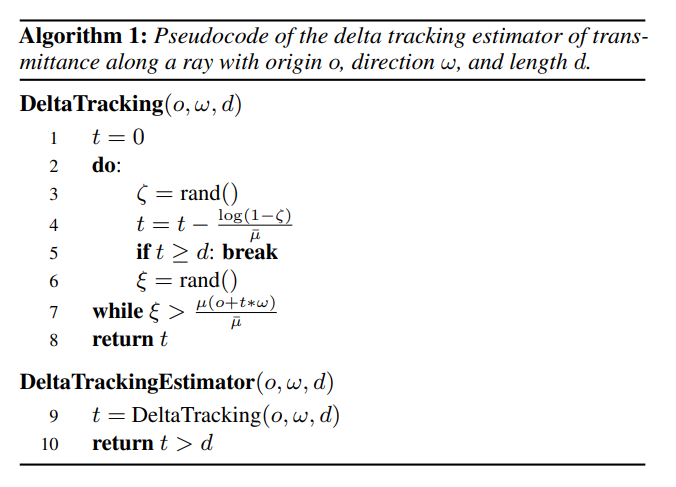
I also implemented delta tracking to sample free-flight distances in participating media.
I use a majorant extinction coefficient to sample hypothetical interaction distances from an exponential distribution,
then accept or reject each step based on the local density (for NanoVDB and noise-driven media). Accepted steps produce real scattering or absorption events;
rejected ones are treated as “null” collisions that only contribute to transmittance.
This stochastic approach works for arbitrary heterogeneous media, respects the underlying density field, and remains unbiased as long as the majorant bounds the true extinction everywhere.
(##) Final Image
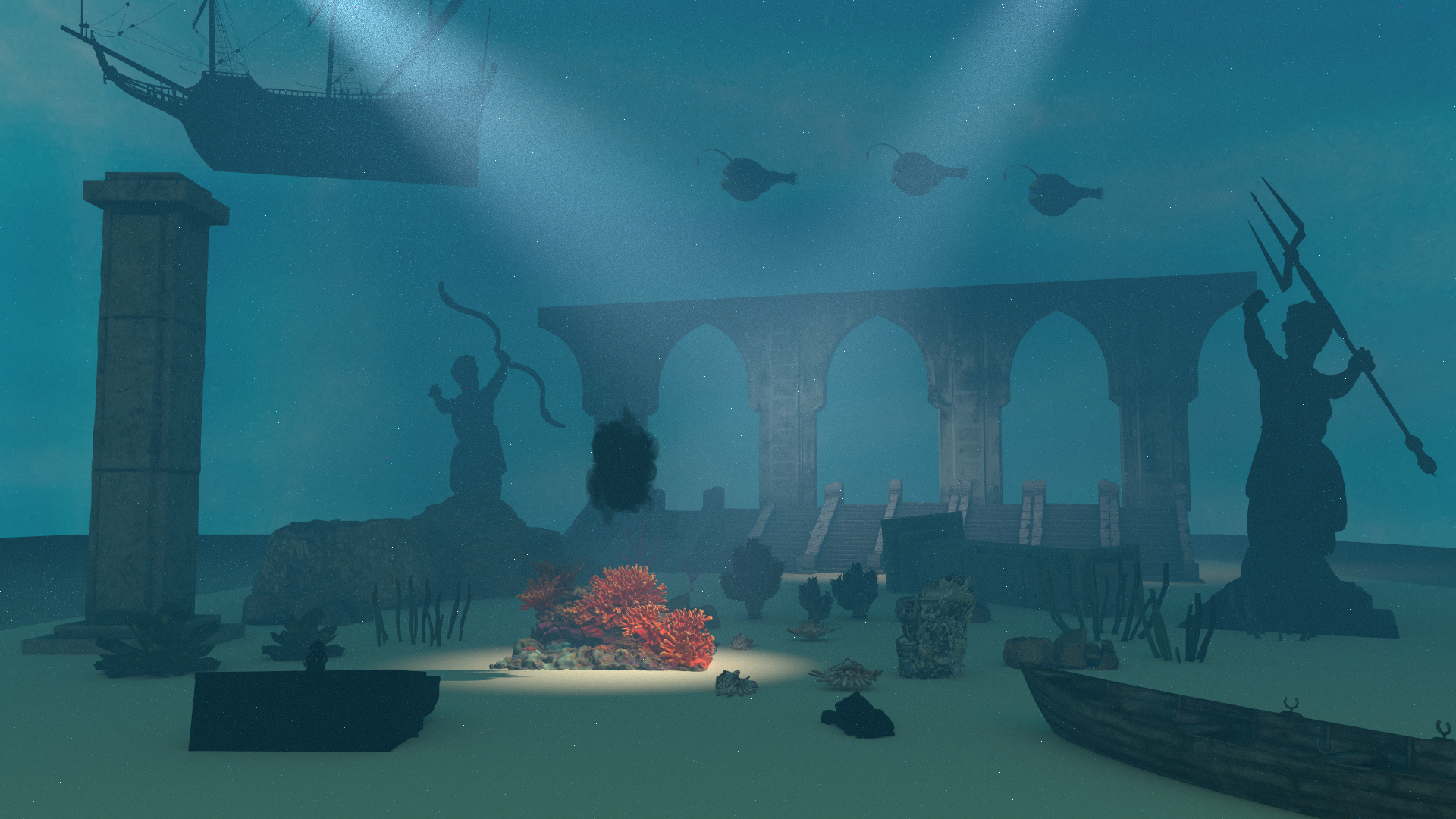
Mine:
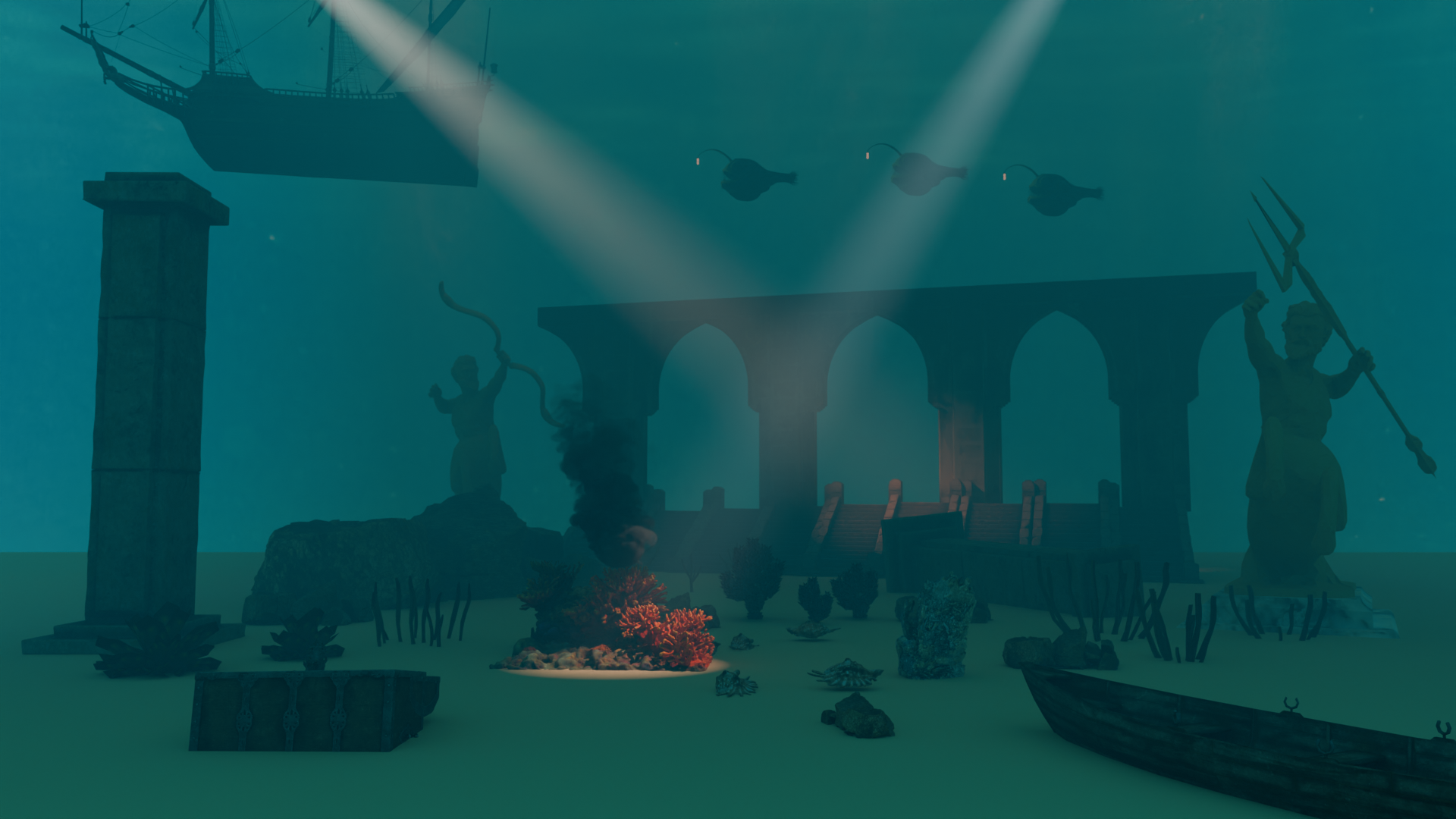
Render in blender:
(##) Resources
The models and textures are downloaded from Sketchfab and Polyhaven


